
 Turnkey Inside
Best Browser for Binary Options Trading – Over time, after missed entries, frozen charts, and delayed order confirmations, it became clear that the browser you use actually matters more than people admit.
Binary options trading is time sensitive. Seconds matter. Execution speed, platform responsiveness, and security all depend partly on the browser environment. Even the most reliable broker platform can feel unstable when paired with a poorly optimized browser.
Read More: 7 Best Forex Software for Mac
Let’s go deeper into how to choose the best browser for binary options trading based on speed, stability, and security.
Why Browser Performance Matters in Binary Options Trading
Binary options trading is built around fast decision-making. You’re working with fixed expiry times, which can be 30 seconds, 1 minute, or 5 minutes. That means you’re reacting to chart patterns or news updates in real-time and any lag, crash, or misclick can cost you actual money.
Browser latency, compatibility with the broker’s interface, and even how your browser handles popups or push notifications can influence your trades.
Also, some broker platforms aren’t optimized across all browsers. Some use custom web terminals, while others rely on MT5 WebTrader, cTrader Web, or proprietary platforms with HTML5-based front ends. If your browser can’t handle all of that, you’re at a disadvantage from the start.
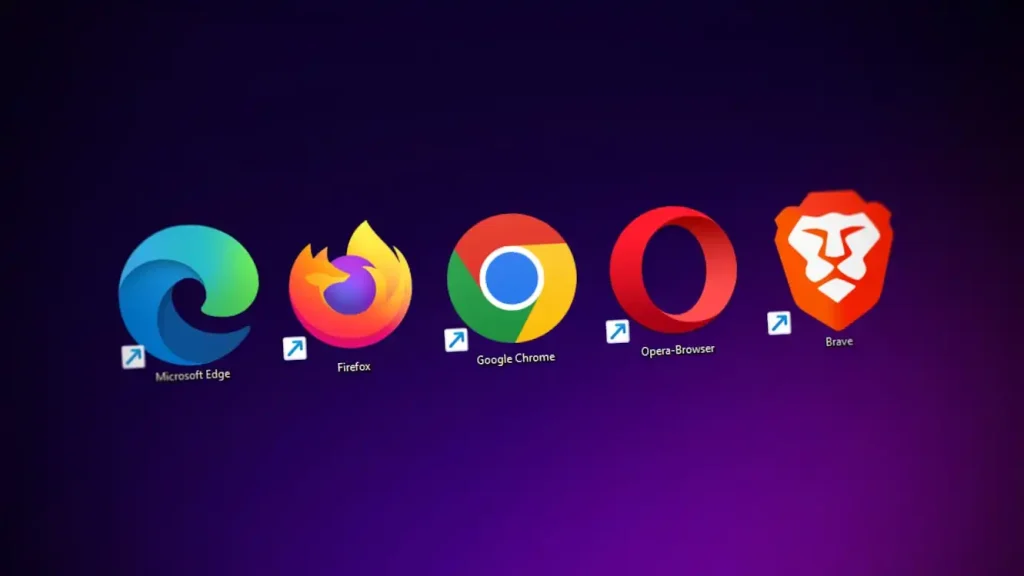
1. Google Chrome
Best Browser for Binary Options Trading – Google Chrome is often considered the default choice. It is widely supported, frequently updated, and handles JavaScript heavy platforms well. Most binary options brokers test their platforms on Chrome first.
Chrome performs well with real time charts and fast order execution. Extensions like ad blockers or script managers can improve performance, but they can also cause issues if misused.
The downside is resource usage. Chrome consumes a lot of memory. On lower end machines, this leads to lag during volatile markets. You need to manage tabs carefully.
From a security perspective, Chrome is strong, but only if you keep it updated and avoid installing unnecessary extensions.
Best for: Compatibility, speed, WebRTC features
2. Mozilla Firefox
Best Browser for Binary Options Trading – Firefox is often underestimated. It offers strong privacy features and solid performance, especially on systems with limited resources. Some traders report smoother chart behavior compared to Chrome.
Firefox handles memory more efficiently in many cases. Long trading sessions feel more stable, which matters if you trade multiple sessions per day.
Compatibility is generally good, but some binary options platforms optimize less for Firefox. Minor interface issues appear occasionally, though they are usually resolved quickly.
Security is a strong point. Firefox provides granular control over permissions and tracking. For traders concerned about privacy, this browser deserves attention.
Best for: Custom setups, privacy-focused traders
3. Microsoft Edge (Chromium-based)
Best Browser for Binary Options Trading – Microsoft Edge has improved significantly in recent years. Built on Chromium, it shares much of Chrome’s performance while using fewer resources.
Edge performs well with binary options platforms. Execution feels responsive, and memory management is better than Chrome on Windows systems.
Security integration with Windows is a plus. SmartScreen filtering adds protection against malicious sites. For Windows based traders, Edge is often underestimated.
Best for: Windows users, resource efficiency
4. Brave Browser
Best Browser for Binary Options Trading – Brave is built on Chromium but focuses on privacy and speed. It blocks ads and trackers by default, which reduces resource usage.
For binary options trading, this results in fast loading times and smoother chart performance. Brave handles JavaScript heavy platforms efficiently.
One caution is aggressive blocking. Some trading platforms require scripts that Brave blocks initially. Manual configuration is often needed.
Best for: Traders who want speed + privacy, with no compromise
5. Safari Browser
Best Browser for Binary Options Trading – If you’re trading binary options on a Mac, Safari might seem like the obvious choice. It’s optimized for macOS, runs smoothly, and is impressively battery-efficient on MacBooks. And, if you’re in the Apple ecosystem, the cross-device sync for bookmarks, passwords, and tabs does make things easier.
But here’s the catch, Safari isn’t always fully compatible with all trading platforms. Some brokers still optimize primarily for Chromium-based browsers like Chrome or Edge. That means you might encounter issues with chart rendering, lag on execution buttons, or limited functionality with third-party plugins.
Best for: Mac users doing light to moderate trading on Safari-optimized broker platforms
Mobile Browsers for Binary Options Trading
Mobile trading is common now, but it comes with limitations. Mobile browsers are optimized for convenience, not precision.
Chrome and Safari dominate mobile platforms. They work well for monitoring trades and placing simple orders, but detailed technical analysis is harder. Screen size and touch input introduce errors.
If mobile trading is part of your routine, test execution speed carefully. Some mobile browsers delay taps slightly, which feels minor but affects short expiry trades.
Whenever possible, use your broker’s dedicated mobile app rather than a browser. Apps are usually optimized better for execution timing and notifications.
Read More: What is Smart Order Routing? Everything You Need to Know
Choose the Browser That Matches Your Trading Style
Best Browser for Binary Options Trading – The best browser for binary options trading isn’t about branding, it’s about how well it performs under pressure. If you’re doing 1-minute expiries or scalping news spikes, you’ll need something snappy, consistent, and tested across your broker’s terminal.
Try a few, run test trades, see how each one handles order execution and price updates. And don’t forget, your internet connection and machine specs matter just as much.
Planning to launch your own binary or forex trading platform?
Start your own forex broker with TurnkeyInside and get access to MT5 Web, mobile apps, custom front-end support, and integrations that work with every major browser. Fast execution, global liquidity, and 24/7 support.
Let your clients trade confidently from any browser, anywhere. We’ll help you build the infrastructure to support it.
